02 Dispatcher
Dispatcher explains where and for how long requests wait before a Work Process handles them. Landing already answers basic health with Dispatcher queue length (DIA), ICM queue, and Update queue waiting time; this domain provides detailed diagnostics.
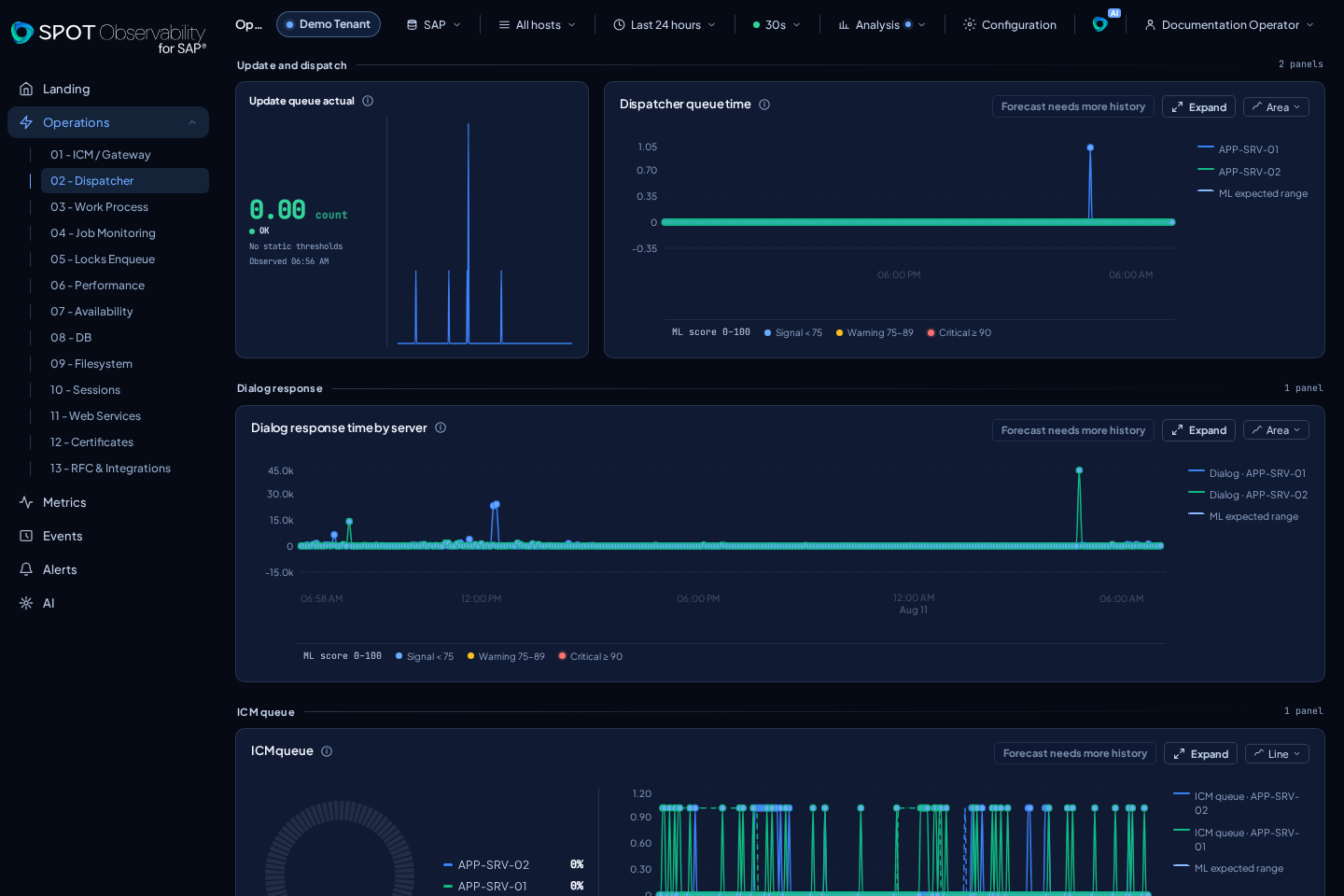
What appears
| Panel | metricId | Reading |
|---|---|---|
| Update queue actual | update-queue-actual | Current number of update records in flight |
| Dispatcher queue time | dispatcher-queue-time | Milliseconds a dialog request remains queued |
| Response time by server | dialog-response-time | Response-time series separated by server |
| ICM queue | icm-queue | One composed panel with the current distribution by server and the historical trend by instance |
Dialog queue length is not duplicated in this detail page: its state appears on Landing, and its series is available in 03 Work Process and Metric Explorer.
The layout gives trends more space: Update queue actual combines its value, state, thresholds, freshness, and a real microtrend in the first third; Dispatcher queue time uses the remaining two thirds; Response time by server uses the full width. In ICM queue, the current donut and historical chart share one panel and context.
How to interpret it
- OK: the current queue is low and waits remain short without sustained growth.
- WARN: wait recurs, load is uneven between servers, or recovery is slow.
- KO: sustained accumulation has visible impact on dialog or update processing.
UNKNOWN: no sufficiently recent sample exists; check the source before concluding that the queue is empty.
Dispatcher is often the first place to see pressure before it becomes a broader incident. Growing dispatcher-queue-time together with low free dialog work processes points toward processing capacity. If ICM concentrates on one server, or response time rises without visible saturation, check Events and the Landing map for instance or communication issues.
Filters and next screens
Use a short window around the incident and filter by host when only one instance is affected. Cross-check Work Process for DIA capacity, Performance for overall response, Events for instance messages, and Metrics to compare dispatcher-queue-time with dialog-response-time.