Events and Jobs
Events and Jobs are the most common cross-checks during an Operations investigation.
Events
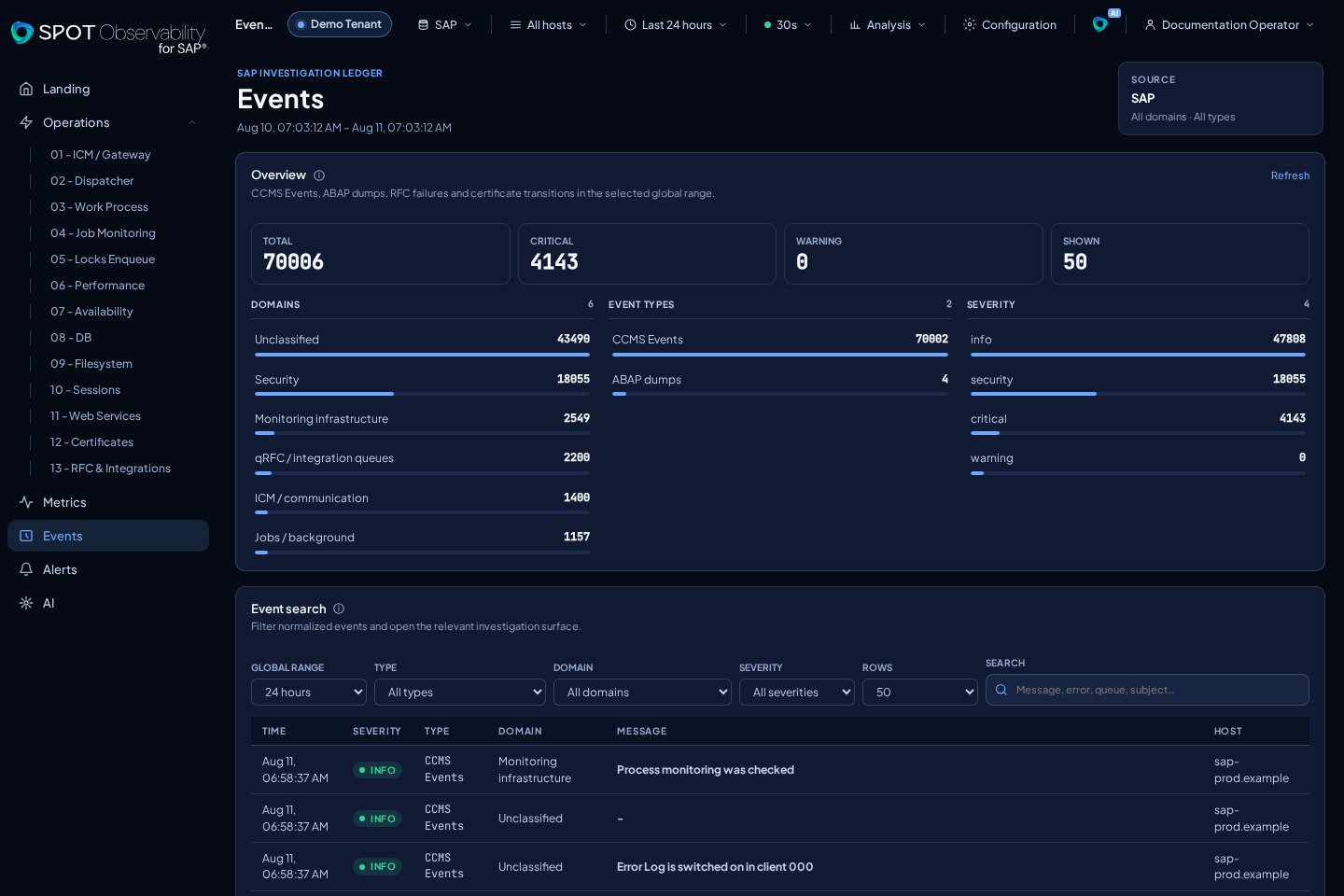
Use Events to search by severity, functional domain, technical type, and text. It uses the global range, which can also be changed from the page. Domain, event-type, and severity bands are clickable filters, and the table is paged without losing investigation context.
The Events header remains visible even before a source is selected or when no results are available. It keeps the range, source, and filters as investigation context, with the state message below it. On mobile, that context wraps without being clipped.
In 2.0, Events includes ccms_event, ABAP dumps, RFC failures/recoveries, and
relevant certificate transitions. Dumps and RFC link to their investigation;
unchanged certificate snapshots do not create noise.
Domains remain Security, ICM / communication, qRFC / integration queues, Work
Process, Monitoring infrastructure, Jobs / background, Spool, Database, and
Unclassified. ccms_event, work_process_transition, abap_dump, rfc_failure, and
certificate_transition are types, not domains. Keep the same time range you
used in Operations, then use the styled search field to narrow by host, job,
component, or code.
Jobs
Use Jobs for cancellations, long executions, work process saturation, or batch windows. Filter by status, search text, and time range.
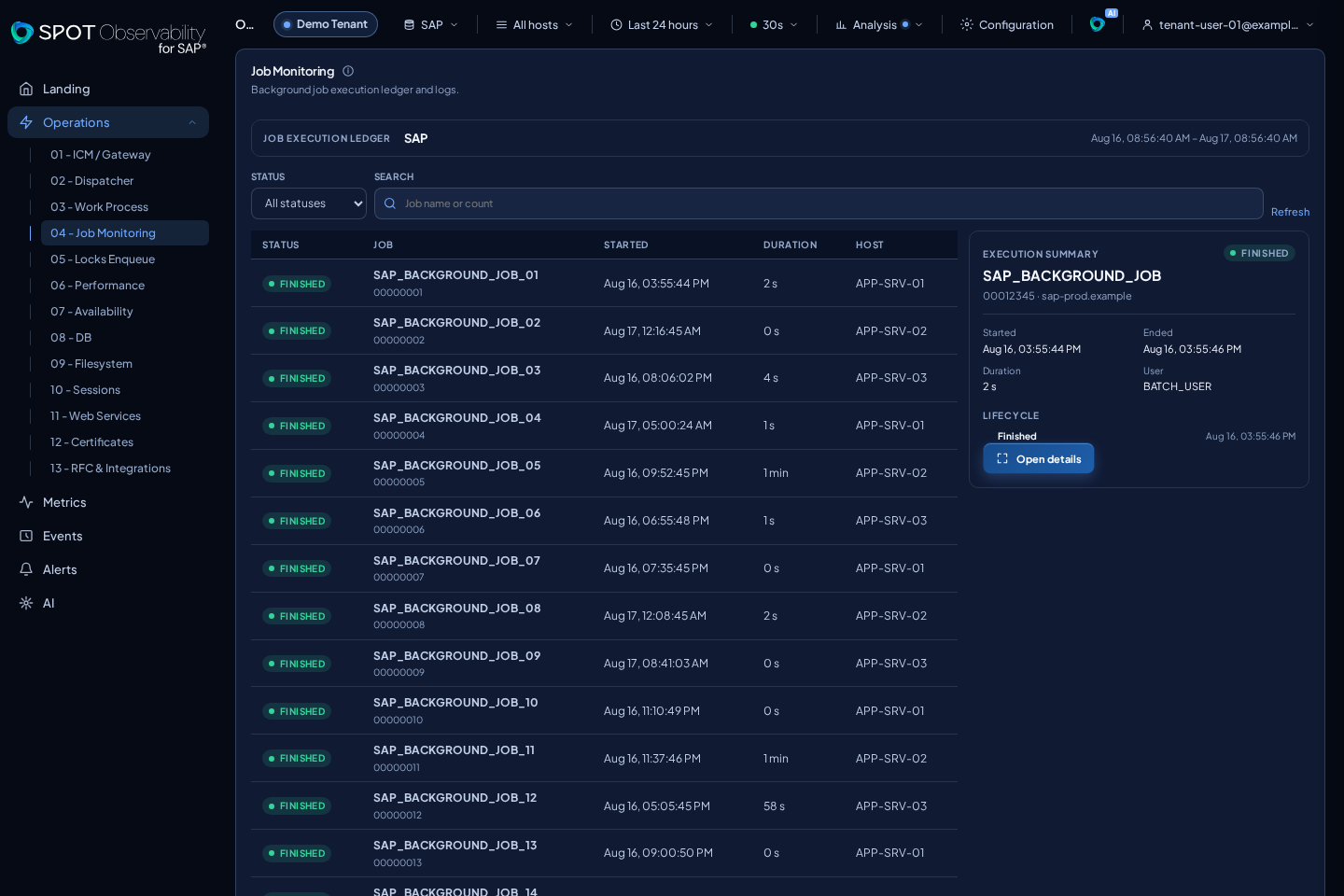
Job Monitoring shows only Job runs, 15 per page. A job detail contains its
summary, lifecycle, and historical paged Job Log lines when available, with
readable SAP status names. ABAP dumps are selected and opened exclusively in
03 Work Process, with their dump summary and the runtime error
description obtained from the SNAPT catalog. That description is generic to
the runtime error identifier; it is not the long text or instance detail shown
by ST22.
Select a chronology point or execution row once to open Job execution details. SPOT validates that exact execution within its family and retains the selection while the check completes; if it is invalid, it shows the appropriate state instead of opening a detail for another execution.
The detail also indicates whether the description is available (complete), a
valid read returned no text (empty), SAP authorization was missing
(unauthorized), SAP was unavailable (unavailable), the response could not
be decoded safely (unsupported), or the document came from an earlier
connector that did not collect it (legacy_missing). Keep that state in mind
when correlating the dump with Events; a state other than complete does not
mean that the dump itself did not occur.
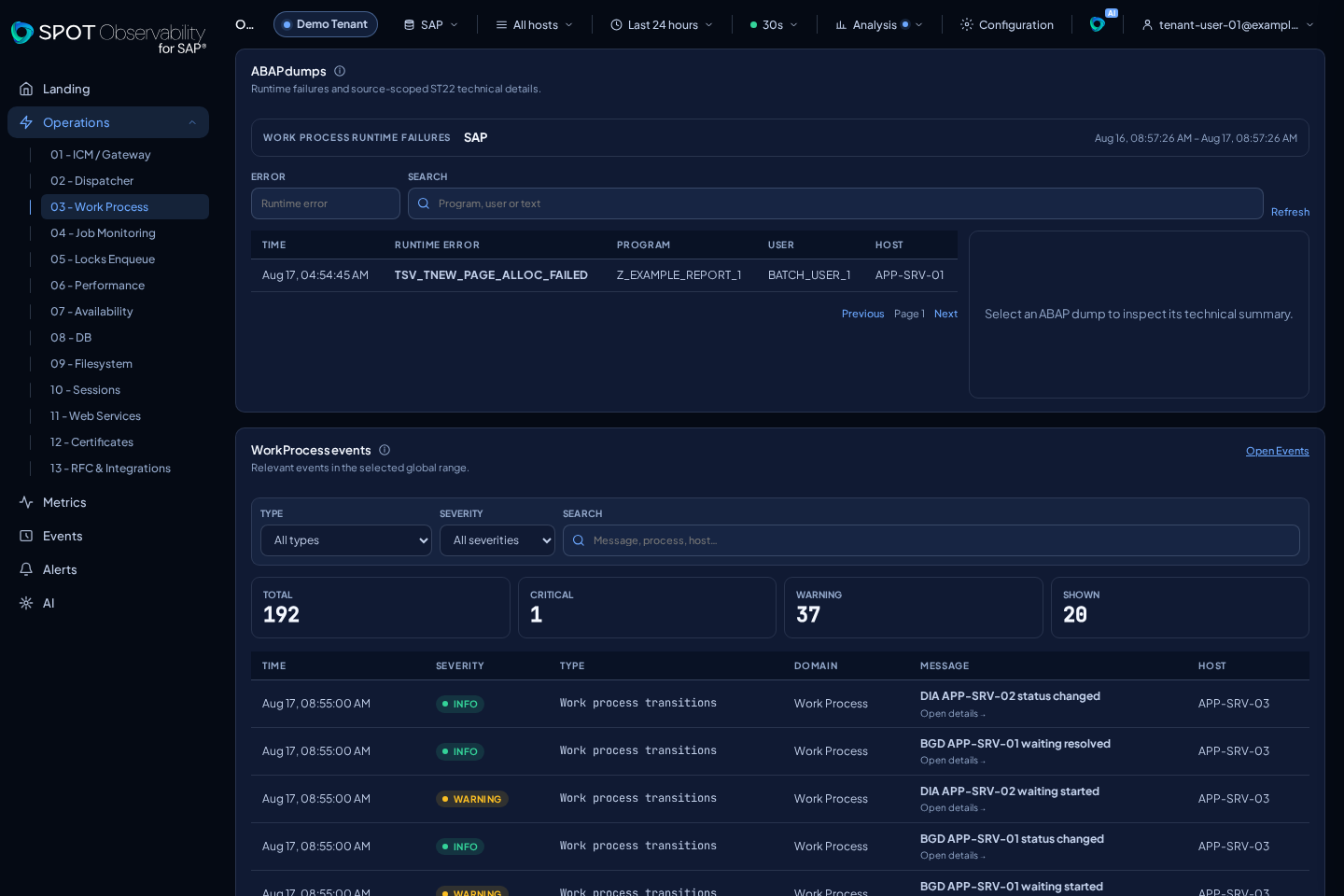
Jobs is especially useful when Performance, Work Process, or DB changes during a batch window. Check whether cancellations are isolated or repeated, whether they belong to the same job name, and whether the schedule matches system events.
Useful Cross-Checks
- Job Monitoring -> Job runs -> Events.
- Work Process -> ABAP dumps -> Events.
- Work Process -> Jobs -> Metrics.
- Performance -> Metrics -> Events.
- Availability -> the Landing map -> Events.
If Events shows errors but Jobs is clean, continue with Metrics and the Landing map. If Jobs shows cancellations without clear events, review SAP permissions, resource availability, and maintenance windows outside SPOT.