Connectors
Tenant console > Connectors controls runtimes installed near SAP. A connector works in pull mode: it reaches SPOT over outbound HTTPS, receives configuration, and publishes telemetry without exposing SAP to the Internet.
Create and install
- Create a connector with an operational name.
- Copy the one-time installation code, valid for 30 minutes.
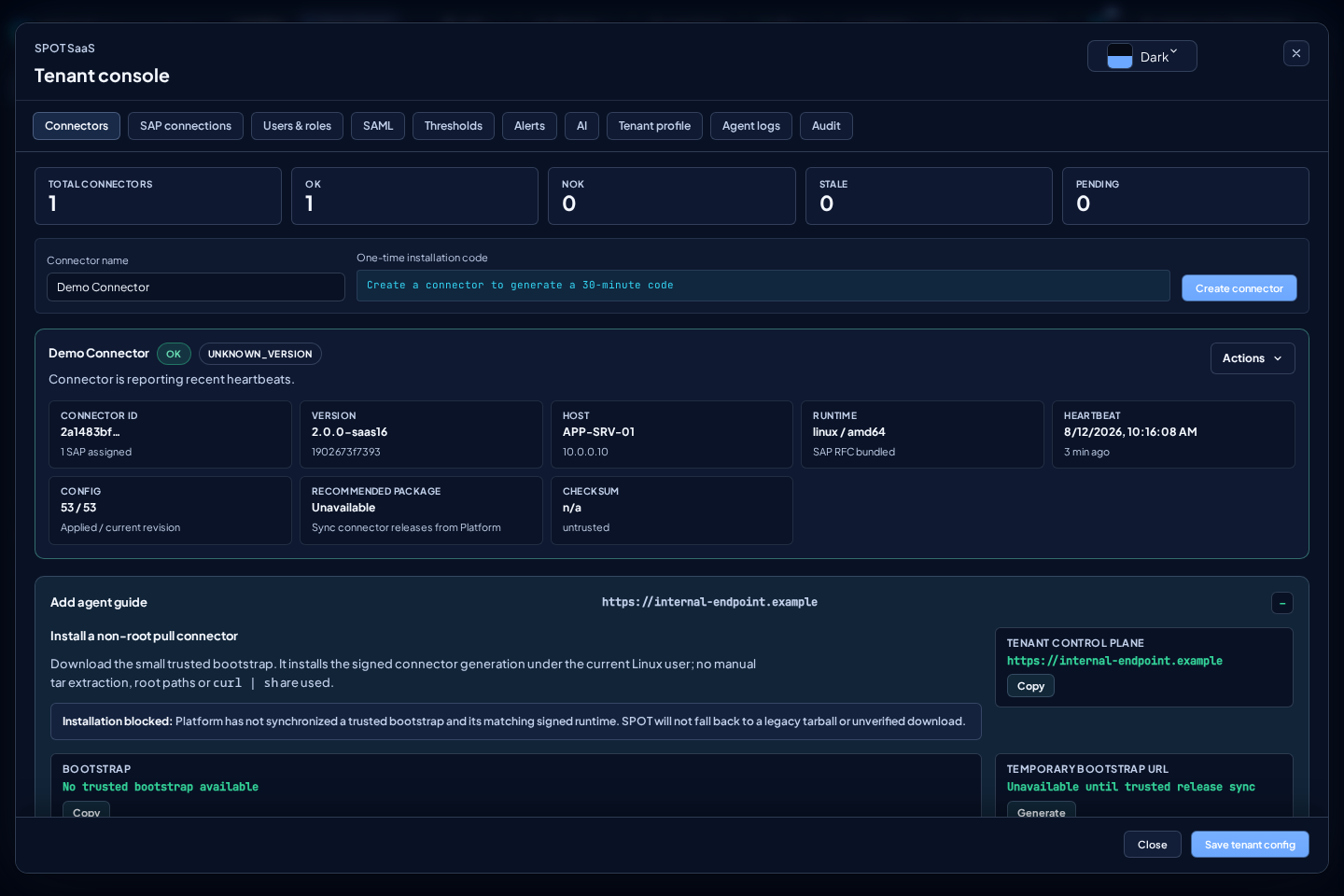
- Generate the temporary bootstrap URL in
Add agent guide. - Download the bootstrap, verify its SHA-256, and run it on the final host.
- Enter the code only at the hidden prompt.
- Wait for the first healthy heartbeat.
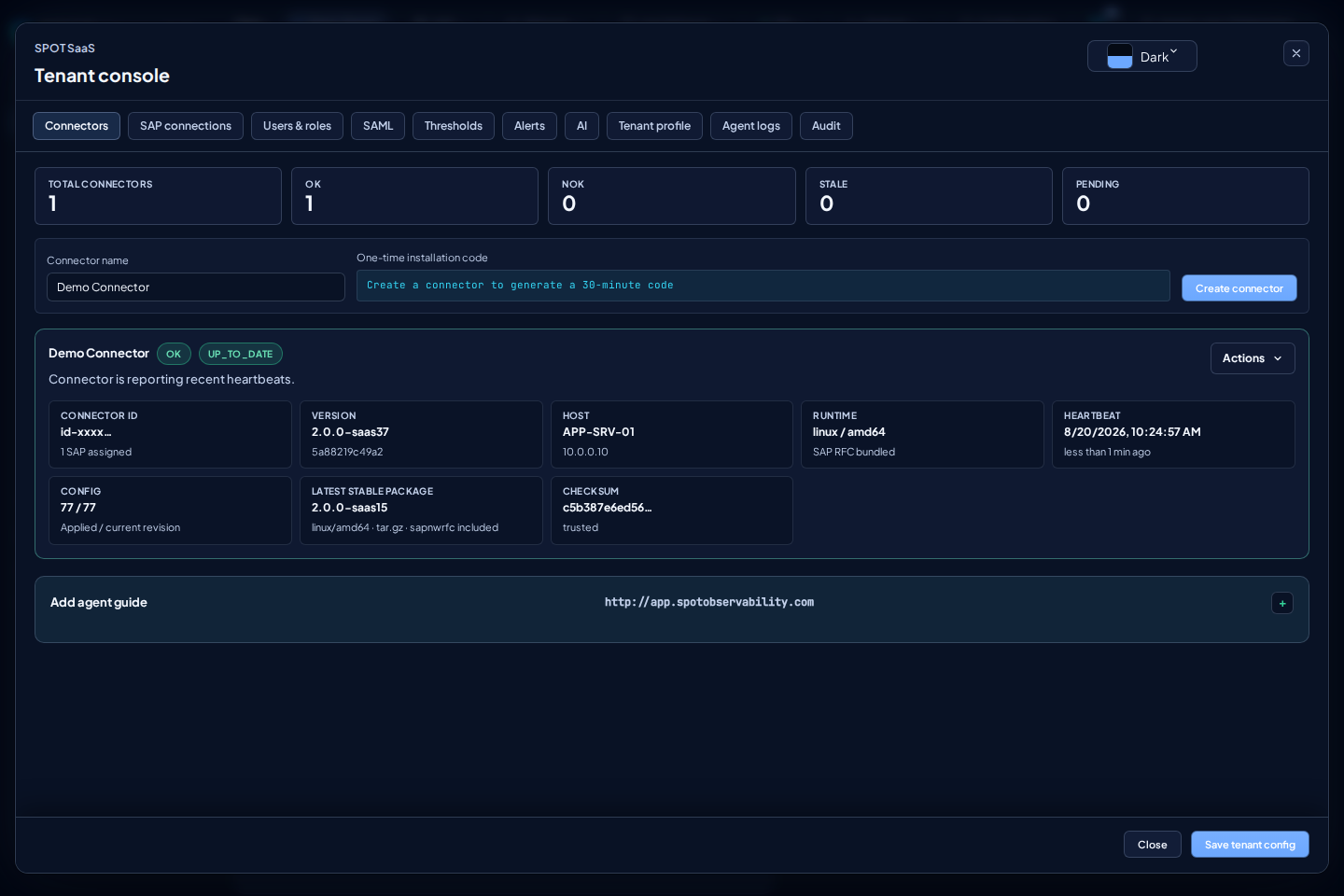
The guide never uses manual extraction or curl | sh. The bootstrap embeds the production TUF public root and installs only a runtime with valid metadata, version, and digest. Production never trusts the development root.
If Platform has not yet synchronized a bootstrap and its matching signed runtime, installation remains blocked. SPOT does not offer a legacy tarball or an unverified download as a fallback.
States
| State | Meaning | Check |
|---|---|---|
| Pending | No authenticated heartbeat yet | Code validity, outbound HTTPS, and local service |
| OK | Configuration, heartbeat, and telemetry are healthy | SAP connections and stable version |
| NOK | Active failure or unapplied configuration | Agent logs, RFC, network, and upgrade |
| Stale | Heartbeat expired | Process, linger, and connectivity |
| Disabled/Revoked | SPOT rejects the credential | Retire or re-enroll the host |
Actions
| Action | Effect |
|---|---|
| Download verified bootstrap | Issues a temporary URL for the bootstrap tied to the trusted release |
| Request upgrade | Requests the latest stable generation; it is not offered as a downgrade when the connector already runs a newer candidate |
| Generate re-enrollment code | Creates a 30-minute code without interrupting the active credential |
| Disable connector | Immediately revokes credentials, codes, sessions, and pending upgrades while preserving SAP assignments |
| Delete connector | Permanently removes the identity and unassigns its SAP connections |
The host generates the persistent credential and SPOT stores only its hash. It is never shown by the console or included in a download.
Safe upgrades
The agent verifies TUF, installs generations, and atomically switches the active pointer. A stable supervisor outside the active generation remains in control even when the new wrapper, environment, loader, or binary cannot start. It confirms the version only after authentication, configuration, heartbeat, and telemetry; on failure or deadline expiry it restores the previous generation. The card shows Latest stable package as the stable-channel reference, not as an instruction to replace a newer candidate.
The first generation containing this supervisor installs it from its own signed artifact and automatically re-enters under its control. It also migrates the flat layout used by earlier connectors, but only after health is confirmed. This requires no re-enrollment, configuration loss, or technician action. Status and stop scripts, PID, and log stay below $HOME/spot-agent-saas, so their paths do not change when generations switch.
stable releases roll out automatically in waves. Request upgrade is a one-off administrative action; normal operation does not require a technician to restart the service or request each version. Platform can pause a wave on TUF/digest failure, rollback, success below 98%, or degradation above 5%. Before requesting a canary, the workflow records and validates that its previous version is different and older; candidate must prove the real transition, and promotion reuses the exact digest.
Safe re-enrollment
Creating a code does not interrupt the current connector. Stop it only when ready and provide the code through the hidden prompt or a protected 0600 file. The old credential is invalidated only after the new one is accepted.
Use a separate connector for a different logical host. Keep the same identity only to recover its local installation or credential.
Diagnostics
- No heartbeat: check service,
linger, DNS, and outbound HTTPS. - TUF error: check clock, expired metadata, and version; never bypass verification.
- Upgrade rollback: inspect
Agent logsand configuration, authentication, and telemetry health. - No SAP data: check assignment, SAP credentials, RFC permissions, and time range.
Never paste codes, connector.json, SAP secrets, or complete configuration into tickets. Share connector ID, version, timestamp, and sanitized errors.