Agent logs
Agent logs shows structured events sent by SaaS pull connectors. Use it to diagnose installation, configuration pull, heartbeat, SAP extraction, Elastic writes, and managed upgrades without logging into the host.
Remote logs are best-effort: if a log write fails, the agent does not block SAP extraction or heartbeat. Retention is short and intended for recent troubleshooting.
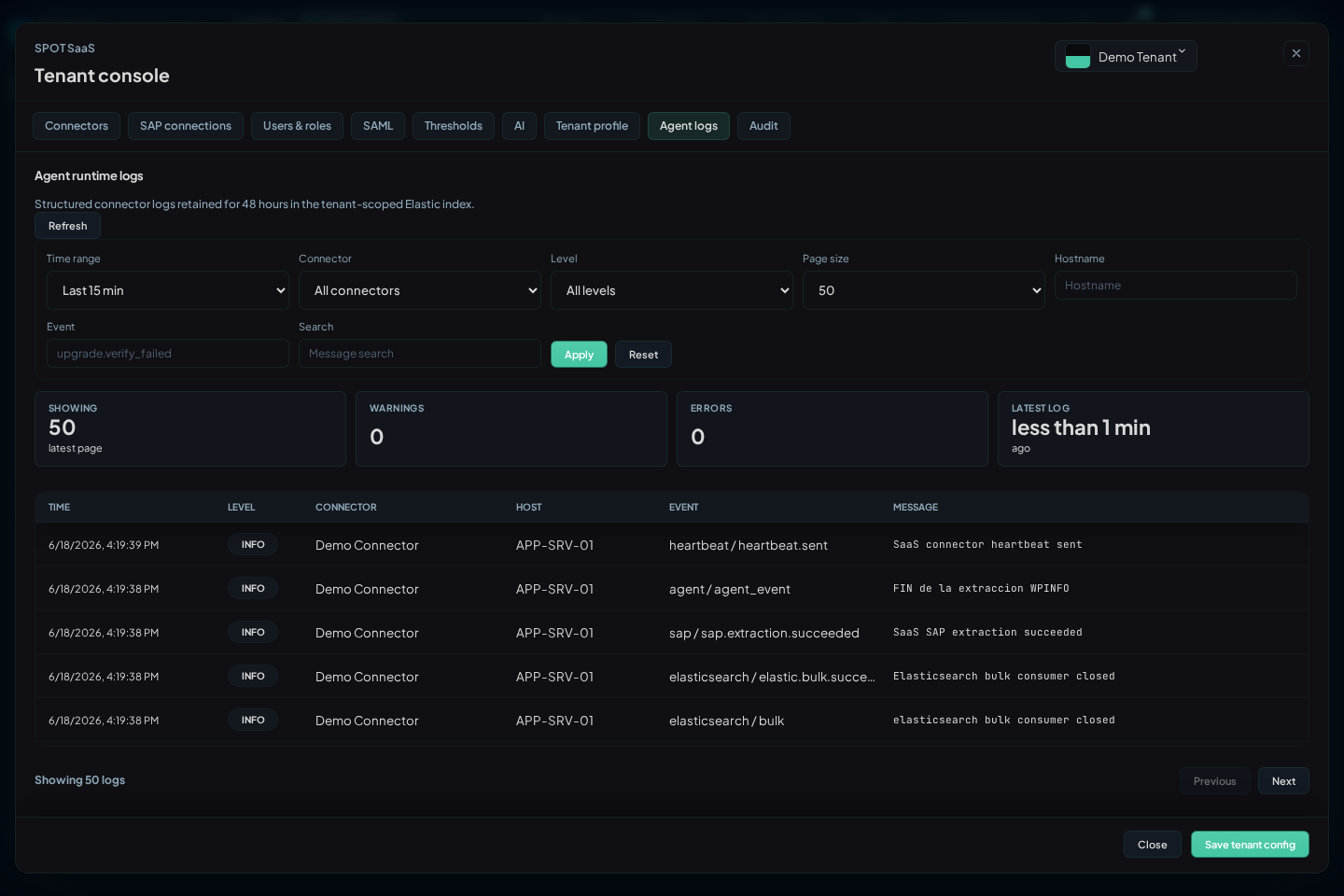
Filters
| Filter | Use |
|---|---|
Time range | Defaults to the last 15 minutes; use wider ranges for upgrades or closed incidents |
Connector | Isolates one runtime when the tenant has several agents |
Level | info, warn, or error; start with error when a connector is NOK |
Hostname | Filters by host reported by the agent; use sanitized names in external reports |
Event | Searches concrete events such as config.pull.failed, sap.extraction.failed, or upgrade.verify_failed |
Search | Free-text search across message and main fields |
Page size | Adjusts rows per page |
The table shows Time, Level, Connector, Host, Event, and Message. Expanding a row shows the full event JSON. Do not paste complete outputs into tickets when they contain internal paths, hostnames, or identifiers; share only the relevant sanitized fragment.
Important Events
| Event Family | Meaning | Next Check |
|---|---|---|
config.pull.started / config.pull.succeeded | The agent is requesting SaaS configuration | Check Config in Connectors if the applied revision does not move |
config.pull.not_modified | Local revision already matches SaaS | Normal when SAP connections or upgrades did not change |
config.pull.failed | The agent cannot fetch configuration | Outbound HTTPS, local credential, re-enrollment |
heartbeat.sent / heartbeat.failed | Connector liveness | If it fails, review network and control plane access |
sap.extraction.started / sap.extraction.succeeded | SAP extraction is running or complete | Cross-check Metrics and Operations |
sap.extraction.failed | RFC, SAP permissions, or data availability issue | Review technical user, ASHOST, SYSNR, and enabled family |
elastic.bulk.succeeded / elastic.bulk.failed | Write to the tenant target | If it fails, review ingest connectivity and tenant target |
upgrade.* | Download, verification, installation, and restart phases | Cross-check Request upgrade in Connectors |
Diagnosis by Symptom
| Symptom | Recommended Filter | Reading |
|---|---|---|
Connector Pending | Connector + last 30 minutes | If no logs appear, the agent did not start or did not enroll |
Connector Stale | Connector + heartbeat | Heartbeat stopped; review user service or outbound HTTPS |
| Config not applied | Connector + config.pull | If pull fails, re-enroll or review connectivity |
| Empty dashboards | Connector + sap.extraction and elastic.bulk | Separates SAP failure, write failure, or simply no data in range |
| Failed upgrade | Connector + upgrade | Validate checksum/signature, disk space, and supervisor |
CCMS alerts without SAP text
A CCMS alert may contain a valid identity, timestamp, and value while SAP omits its explanatory text. The connector does not discard the cycle: it publishes a stable operational message and marks its source as a fallback. Do not confuse this with an RFC failure. A real authorization error, a corrupt response, or a missing required value still leaves the collection in error and does not advance its watermark.
Extraction diagnostics distinguish eligible nodes, alert candidates, emitted events, message fallbacks, and real failures. The eligible-node count therefore does not represent the number of missing messages.
Relation to Local Logs
The host keeps local logs at:
$HOME/spot-agent-saas/log/spot-agent-sap.log
Use remote logs for normal diagnosis from SPOT. Log into the host only when you need to validate systemd --user, linger, file permissions, or local connectivity.