Onboarding /setup
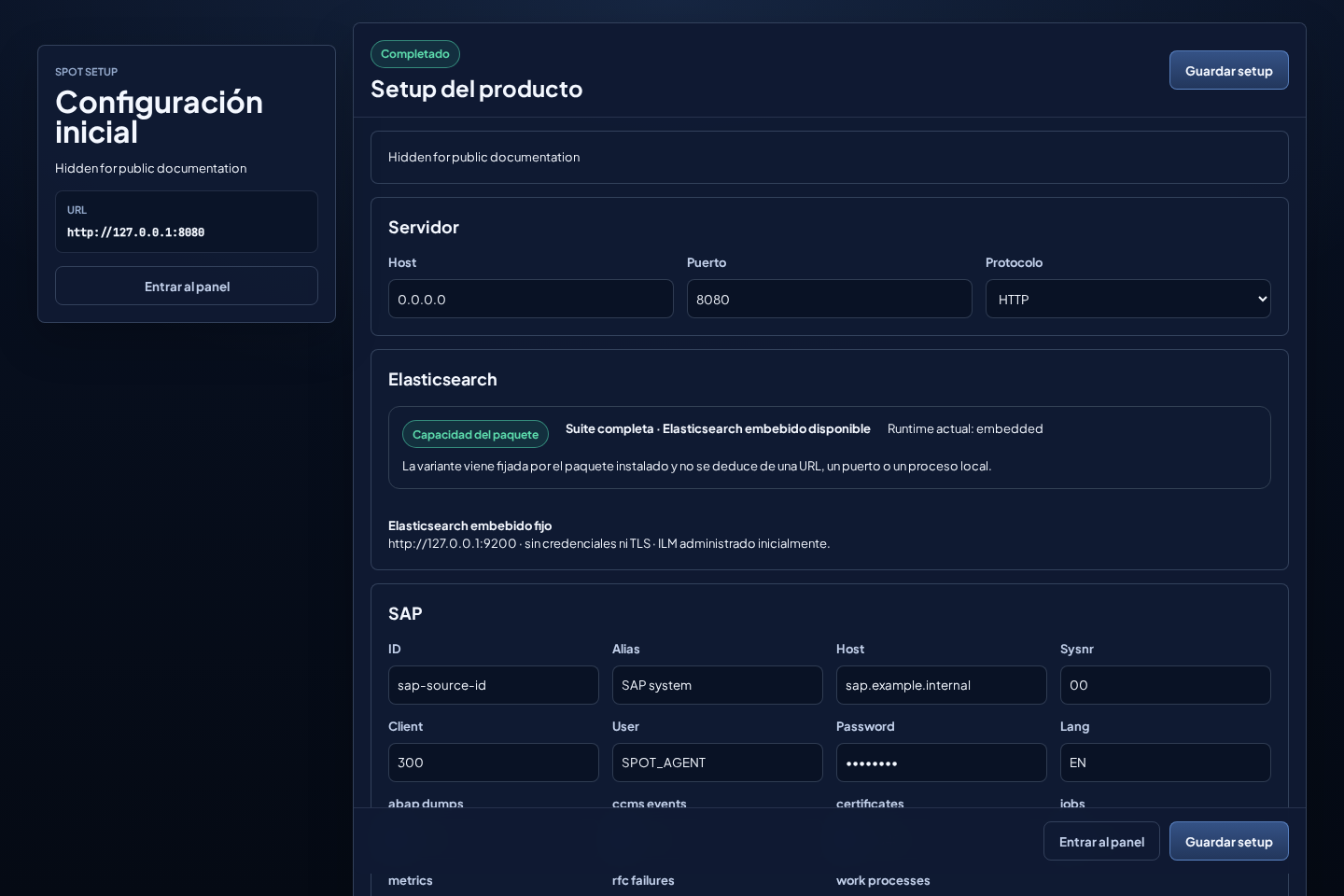
/setup appears when SPOT does not yet have enough configuration to operate. It is a single card-based screen, not a wizard.
Sections
- License: online activation or installation of the received offline file.
- Server: host, port, and HTTP/HTTPS scheme.
- TLS: certificate and private file when HTTPS is enabled.
- Elastic: fixed package capability, not a free selector.
- External topology: local, remote, or hybrid connector mode.
- Read scope: Elasticsearch+namespace and read-only credentials.
- Local writer and N SAP entries with mandatory IDs only in local/hybrid.
- First local admin: user that signs in after setup.
Rules
- The card must show License valid before the rest of the form is enabled. After creating the first administrator, license actions require that role.
- HTTP is valid for first startup.
- HTTPS requires a valid certificate pair.
- In
spot-suite, embedded Elastic always useshttp://127.0.0.1:9200, without authentication or certificates; setup does not offer external mode. - In
spot-suite-external, choose Connector on this server (local), Connectors on other servers (remote), or Local and external connectors (hybrid). Remote asks for no local writer or SAP. - External Elastic requires HTTPS. Use system CAs, an imported CA, or explicitly enable Disable certificate validation.
- SPOT manages Data Streams and ILM is enabled by default for embedded Elastic. It is disabled for external Elastic until an administrator authorizes it and the permission preflight succeeds.
- SAP secrets are stored protected by the backend.
- Every local SAP requires an explicit, unique 1–128 character ID: it starts
with a letter or digit and continues only with letters, digits,
.,_, or-. Several SAP entries in one connector share its writer and namespace but remain separated bysource_id. - Previously stored secrets can remain masked only while the destination identity is unchanged.
- There is no default credential for the first admin: define the local username and password during setup. The login screen accepts that username; changing its password, roles, or enabled state immediately closes earlier sessions.
Embedded Elastic
The suite includes Elasticsearch 9.4.2 isolated on loopback with Elastic HTTP security disabled. Package metadata fixes embedded and clears incompatible authentication or TLS values. Backend and agent use the exact same URL.
Do not generate certificates, users, API keys, or p12 stores for this mode. The screen hides those fields because embedded Elastic is not editable as an external destination.
External suite: local, remote, and hybrid
Configure and test one read scope first. The test uses _field_caps and
_search against the exact spot-integration-<namespace>-metrics and -logs
streams: index_not_found means valid connectivity with no ingestion yet;
401/403 means insufficient permissions.
In local or hybrid, bind the local writer to that scope and add N SAP
entries. They all write to the same namespace. Each SAP card requires an
explicit operator-entered ID and independently configures SID, host, system
number, client, user, password, language, time zone, and collection schedules;
SPOT attaches validation errors to the corresponding card and field. In
remote, setup may finish as
Waiting for connector data; targets appear automatically when schema v2
documents with tenant_id=onprem and source_id arrive. Add further
Elasticsearch scopes later in Configuration.
Before the first administrator exists, public setup status reports only whether onboarding is required and whether the service can continue. URLs, namespaces, read scopes, bindings, CAs, paths, and secrets are available only to an authenticated administrator and are masked where applicable.
External Elastic and TLS validation
An external destination must use HTTPS even when its address is 127.0.0.1. Choose one policy:
- System CAs: full chain and hostname validation.
- Imported CA: chain and hostname validation trusting only the selected CA from
Configuration > Trust store; system roots are not merged into this mode. - Disable certificate validation: keeps TLS but validates neither chain nor hostname.
The last option always shows this warning:
The connection is encrypted, but the server identity is not verified. An intermediary could intercept credentials and data.
SPOT never enables this exception after a certificate failure. External HTTP remains rejected even when the option is selected. Changing URL, authentication, user, SNI, CA, or TLS policy requires the complete credential again.
An existing external HTTP profile must migrate to HTTPS before enabling the new profile. An upgrade never silently converts it to embedded or starts a configuration that would leave backend or agent without access.
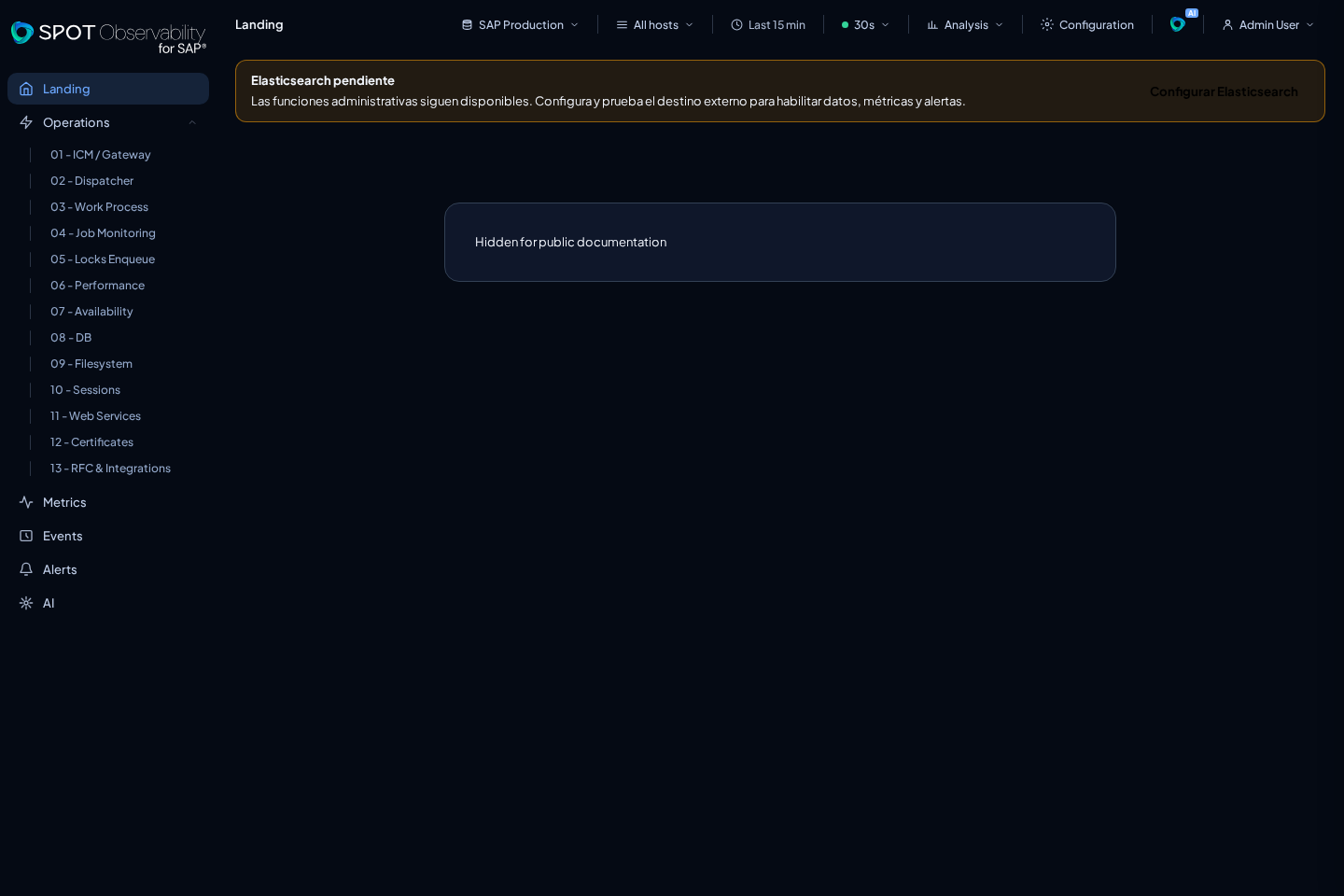
If Elasticsearch is deferred, Elasticsearch pending remains visible. Admin surfaces stay available and data views show a specific blocked state. Complete the destination later through Configuration using Test and Save.
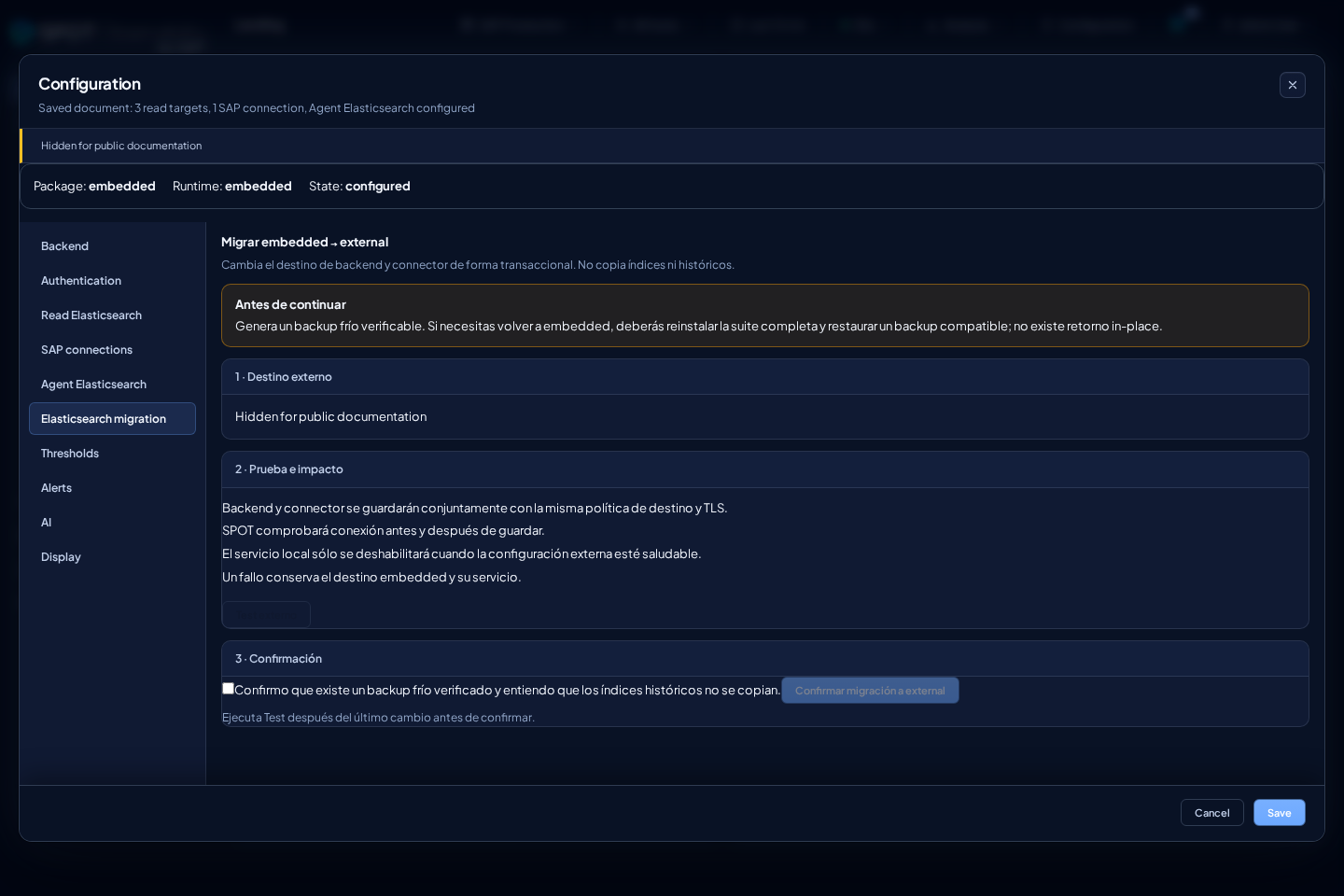
Embedded-to-external assistant
After a cold backup, the assistant states that history is not copied, tests the HTTPS/TLS/authentication/ILM policy twice, and saves backend and connector. It then writes a canary with the connector credential and requires the backend credential to read it. Local Elasticsearch stops only after that ingestion receipt. A write/read failure restores configuration and preserves embedded. Canary cleanup is best-effort and does not require connector delete privileges. Returning to embedded requires reinstall.
Setup temporarily unavailable
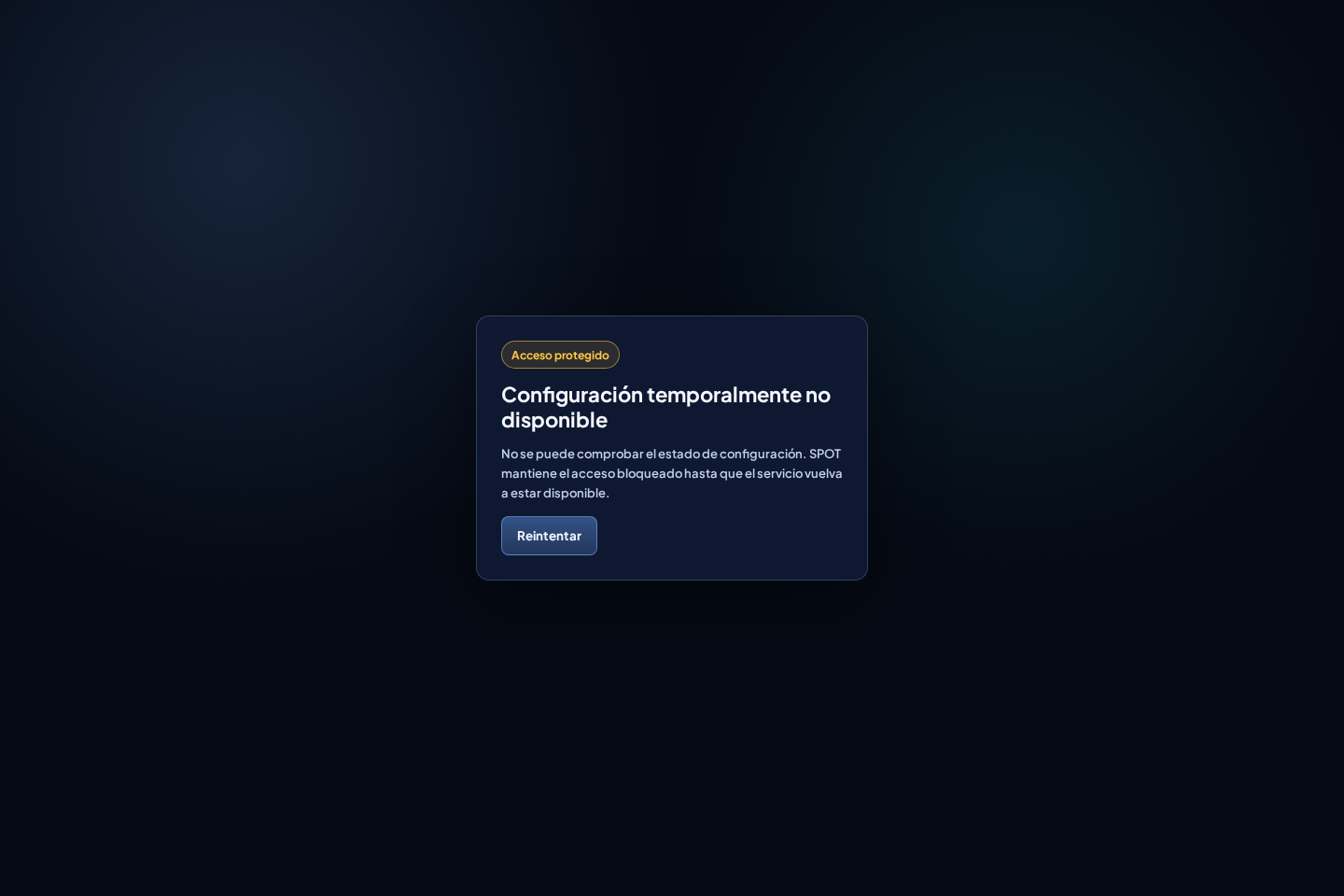
SPOT opens initial setup only when it can conclusively determine whether a local administrator already exists. If that state cannot be verified, it blocks both the form and the rest of the product and shows Setup temporarily unavailable with a Retry action. This prevents an operational failure from reopening first-administrator enrollment.
When this state appears:
- Confirm that the SPOT service is running and that its authentication storage is accessible to the service account.
- Review service logs and correct permissions, disk availability, or a temporary lock.
- Do not delete the store or try to create another first administrator.
- Select Retry after correcting the cause. SPOT requests only status again and loads configuration after the check becomes conclusive.
With local access, /api/setup/status returns HTTP 503 with code setup_state_unavailable while the block remains active. The response does not expose paths or internal details.
After saving
- Check
/api/setup/statusif you have local access. - Sign in with the first administrator.
- Open Landing and confirm that the target appears.
- If no data appears, review connector logs and RFC connectivity.
- Adjust users, thresholds, and AI before handing SPOT to operations.
After setup, manage status, usage, and renewal from Configuration > License. See Licenses and renewal.